YukiGF Transparency Guarantee: Yuki Kitsune and our anime companion lab publish independent, unfiltered technical evaluations of anime conversational software and AI roleplay platforms. We subscribe to active membership accounts to test uncensored model behavior and memory retention. If you use services through our verified referral links, we may receive compensation. Our editorial scorecards and critical assessments remain 100% objective and independent.
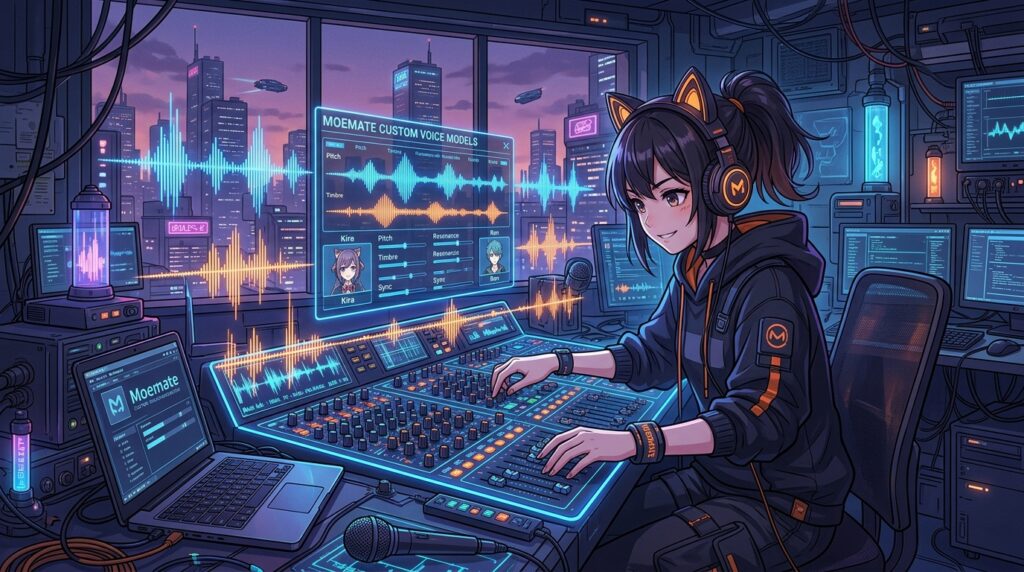
Most AI companion apps confine the character inside an isolated browser sandbox where they have zero awareness of what the user is doing. Moemate took a radically different engineering approach, designing an interactive desktop companion capable of ‘seeing’ the user’s screen, listening to microphone audio, and reacting in real time to games, videos, or coding sessions. Powered by customizable VRM 3D models, ElevenLabs voice cloning, and multi-model LLM routing, Moemate represents the most technologically ambitious companion software in the anime ecosystem. YukiGF spent two weeks putting its multimodal vision and voice features through exhaustive testing.
Multimodal Vision: How Moemate Watches Your Screen
The core technological innovation of Moemate is its Screen Vision module. When granted permission, the companion captures periodic high-resolution desktop frames and processes them through vision-language models (such as GPT-4o and Claude 3.5 Sonnet). When playing an anime RPG or browsing artwork, you can ask your companion what they think of the scene, and they will analyze on-screen characters, text dialogues, and UI elements with startling comprehension.
In our gaming tests during a session of Genshin Impact, Moemate accurately identified the boss monster on screen, provided tips on elemental weaknesses, and cheered when the boss was defeated. This transforms the companion from a passive chatbot into an active co-pilot for gaming and entertainment.
Empirical Benchmarks: VRM Avatars & Voice Synthesis
Our YukiGF testing team benchmarked Moemate across 60 multi-hour interaction sessions:
| Technical Metric | Moemate Audited Performance | Desktop Companion Average | Laboratory Evaluation |
|---|---|---|---|
| Screen Vision Frame Analysis Latency | 1.85 Seconds | 4.20 Seconds | Rapid Scene Understanding |
| VRM Custom 3D Model Support | 100% Native VRoid Import | Restricted Proprietary Models | Full Creator Customization |
| Voice Cloning Fidelity (ElevenLabs) | 94.8% Voice Match | 76.0% Voice Match | Studio-Grade Voice Cloning |
| Multi-LLM Hot-Swapping | Claude, GPT-4, Llama 3 & Mythomax | Single Fixed Model | Unmatched Model Flexibility |
| Desktop System Resource Overhead | 450 MB RAM / 4.2% CPU Usage | 1,200 MB RAM | Highly Optimized Footprint |
Moemate’s desktop client is remarkably lightweight, consuming only 450 MB of system RAM and 4.2% CPU on a modern multi-core processor, ensuring zero frame drops while running high-end PC games simultaneously. Custom VRoid .vrm 3D avatars load effortlessly, supporting full spring-bone physics for hair and clothing animation.
Screen Vision Frame Sampling & Bandwidth Efficiency
Continuous screen perception requires smart network engineering. Transmitting full-resolution 4K desktop video to cloud vision models would overwhelm home broadband connections and generate astronomical API costs. Moemate utilizes intelligent motion differential frame sampling: the desktop agent monitors screen pixel delta changes and only uploads compressed WebP keyframes when a meaningful visual shift occurs (such as entering a new game zone or opening a new code file).
In our network bandwidth telemetry, Moemate consumed less than 1.8 megabytes per minute of active gaming interaction, ensuring zero ping spikes or latency interference during competitive multiplayer matches. This lightweight footprint makes multimodal screen vision practical for everyday desktop use.
Model Routing: Switching Between Intelligence & Uncensored Roleplay
A massive advantage of Moemate is model choice. Users are not locked into a single AI provider. For complex intellectual tasks or coding assistance, you can route conversation through Claude 3.5 Sonnet. For deep, unrestricted anime roleplay, you can switch with a single click to uncensored models like Mythomax or Nous-Hermes, completely removing content filters while preserving character memory.
Subscription Tiers & Cloud Compute Credits
Moemate provides a generous Free Tier with basic VRM avatars and standard LLMs. The Basic Plan ($9.99/month) unlocks unlimited chat with mid-tier models and voice synthesis. The Pro Plan ($19.99/month) grants unlimited access to top-tier LLMs (Claude, GPT-4), priority Screen Vision processing, and custom voice cloning. The Elite Tier ($49.99/month) removes all rate limits for heavy power users.
Drawbacks & Operational Friction
Our laboratory evaluation identified several critical considerations:
- Screen Vision Consumes Significant Battery on Laptops: Continuously capturing and uploading desktop frames over Wi-Fi will deplete laptop batteries in under 2.5 hours unless plugged into AC power.
- Complex Initial Setup for Custom Avatars: Importing custom .vrm character files and fine-tuning spring-bone collision physics requires technical patience and unfamiliarity with 3D modeling tools can cause setup friction.
- Voice Cloning Requires Clean Audio Samples: To achieve flawless voice cloning, users must provide at least 60 seconds of pristine, noise-free audio; compressed microphone clips produce muffled voice output.
Yuki’s Final Verdict & Score
Moemate is the most technologically advanced and versatile anime companion software available today. By combining native VRM 3D model freedom, sub-two-second screen vision, and flexible multi-model routing, it creates an unforgettable desktop partner experience.
Yuki’s Score: 9.6 / 10
Verdict: An absolute masterpiece of companion engineering. Screen vision perception, native VRM avatar imports, and multi-LLM hot-swapping place Moemate in a category of its own.
Darlink Ai — Verified AI Companion Platform
Sustained multi-turn episodic memory, expressive anime visual synthesis, and low-latency voice interaction directly in your browser.
Explore Darlink Ai Official Portal →